Coming soon · Android & iPhone

SIMPLE INVOICING.
NO MONTHLY
SUBSCRIPTION.

Create professional invoices, track payments, send reminders, manage expenses and projects, and know where your business stands — all from your phone.

Free to start Pro $75 once
Android & iPhone Works offline English, العربية & Français
An invoice for Nadim Haddad, overdue by 12 days and partly paid: 665.50 USD balance due, a progress bar showing 500.00 paid of 1,165.50, the line items, and Share PDF, Record payment and Remind buttons.
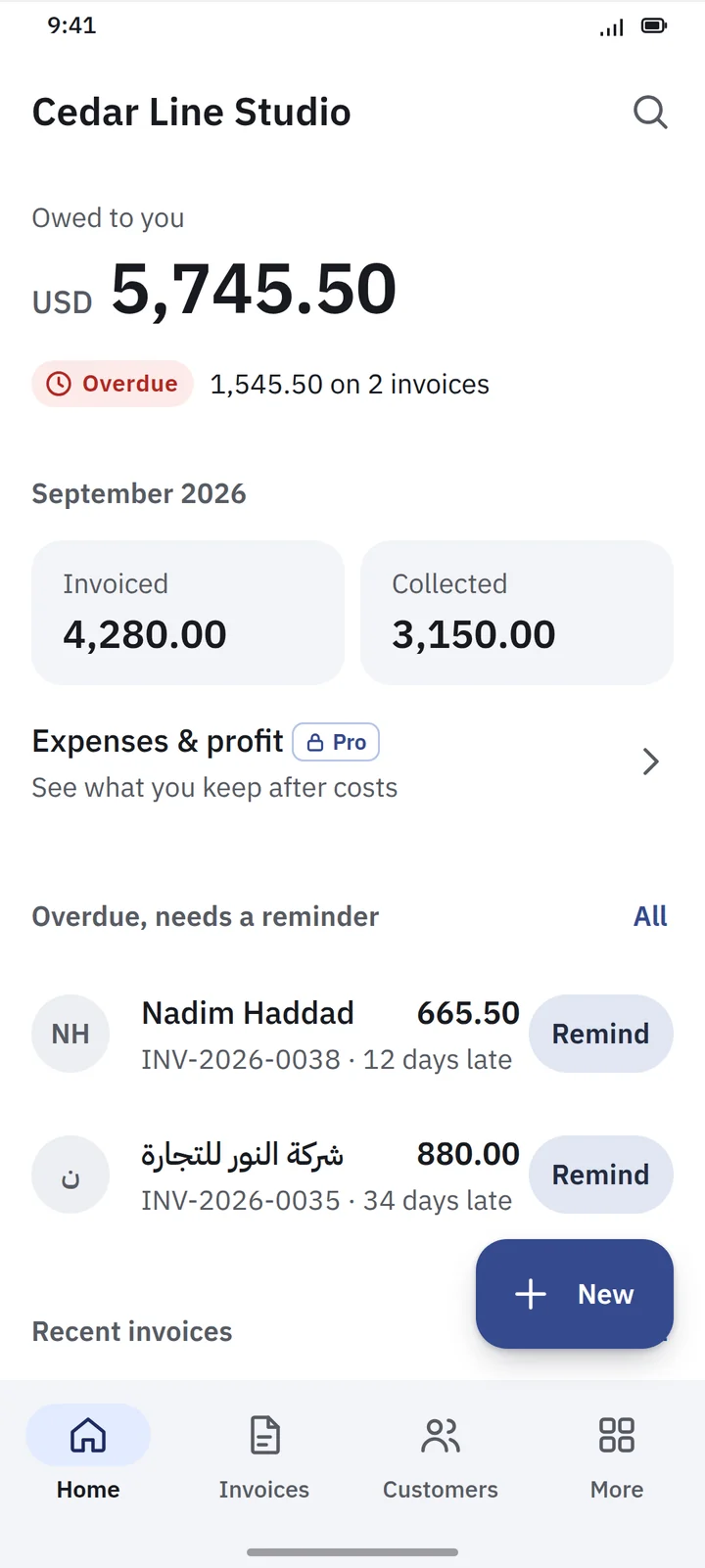
The 3S Invoice home screen: 5,745.50 USD owed to you, 1,545.50 overdue on two invoices, this month's invoiced and collected totals, and a list of overdue customers each with a Remind button.
$0
Free version, not a trial
$75
Pro, paid once
3
Languages, Arabic fully RTL
2
Platforms: Android & iPhone
Invoicing without the complexity

No debits.
No ledgers.
No accounting degree.

Running a small business is complicated enough. 3S Invoice gives you the tools you actually need, without making you learn accounting software first.

It is deliberately simpler than an accounting system. It answers the questions a business owner actually asks — and leaves the chart of accounts to your accountant.

Who owes me money?
Which invoices are overdue?
How much did I invoice?
How much did I collect?
What did I spend? Pro
Did this project make money? Pro
What is my business profit? Pro
01
Create the invoice
Pick the customer, add the items. Tax and totals are worked out for you.
02
Send it
Share a clean PDF on WhatsApp, by email, or through whichever app your customer actually reads.
03
Track the payment
Record it in full or in parts. The balance updates itself.
04
Remind if needed
Late? Send a polite reminder, then get back to work.

Then move on with your work.

Free version

Everything you need
to get paid

The free version is not a demo. It is the whole invoicing workflow, with no limit on customers or invoices.

Unlimited customers & invoices
No monthly invoice cap and no customer limit. The free version is a real product, not a trial with a countdown.
Line items, discounts & tax
Products or services with description, quantity, unit price, discount, and tax where it applies.
Full & partial payments
Record a full payment, a partial one, or several against the same invoice.
Due dates & balances
Set a due date on every invoice and see exactly how much each customer still owes.
Overdue tracking
Overdue invoices stand out, along with how many days late each one is.
Payment reminders
Generate a reminder and send it through WhatsApp, SMS, email or any other app on your phone.
Professional PDF invoices
Your logo and details, line items, tax, totals, payment information, notes and terms. Save it, share it, email it.
A4 printing
Print A4 invoices through your phone’s normal print function. Included in the free version; thermal receipt printing is in Pro.
A dashboard that answers
Amount owed, invoiced, collected, overdue invoices and recent invoices — on one screen.
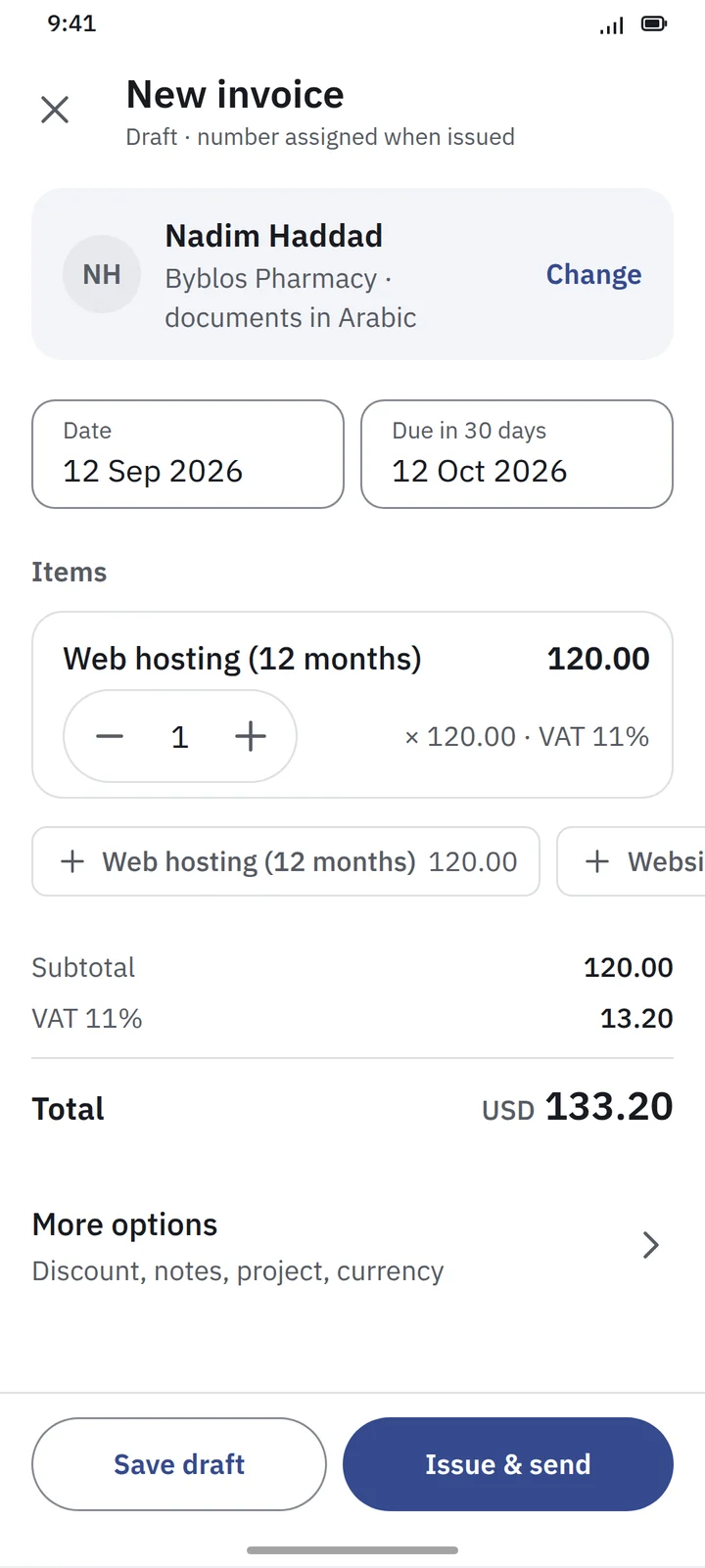
The New invoice screen: customer Nadim Haddad with documents in Arabic, date and due date, one line item for web hosting with a quantity stepper, and subtotal, VAT and a 133.20 USD total above Save draft and Issue & send buttons.
Customer, items, totals. Issue and send.
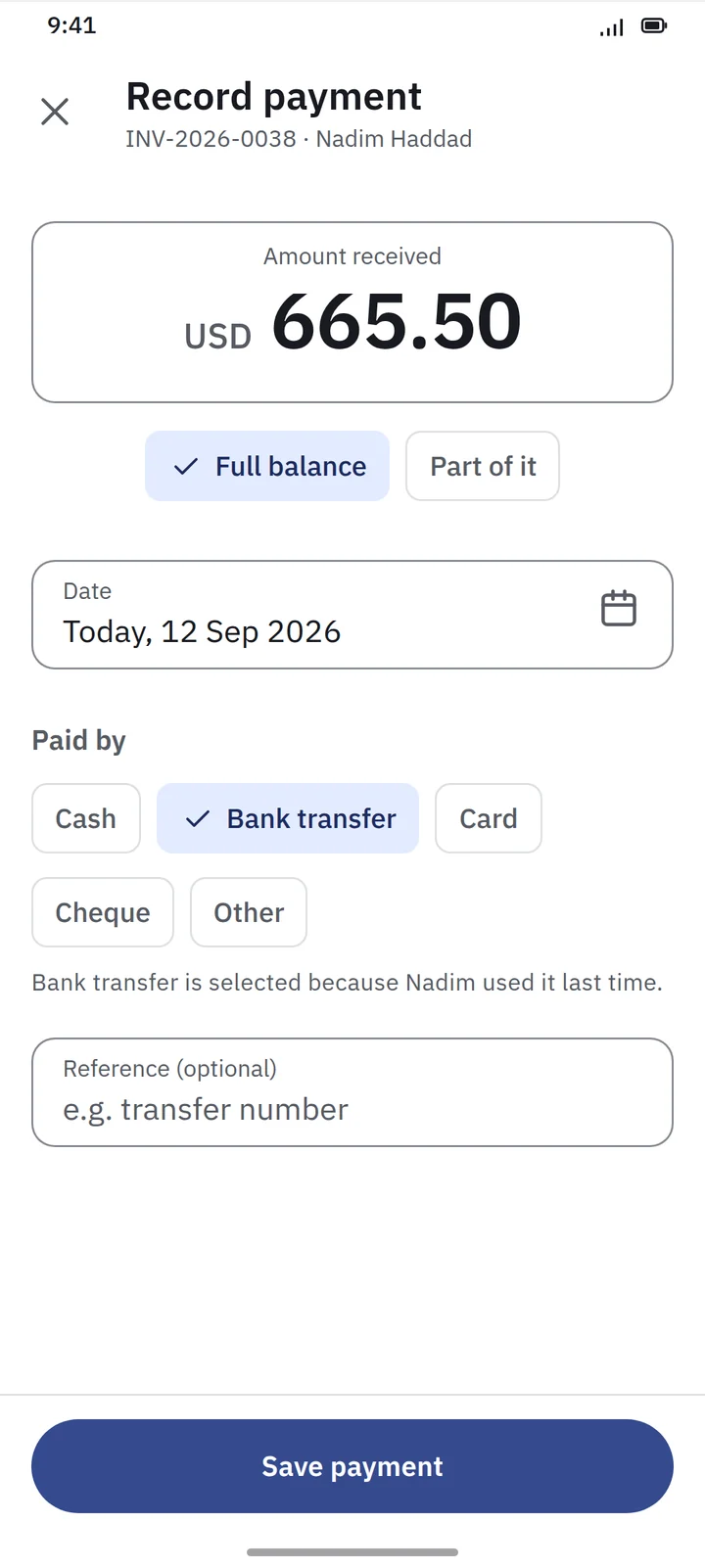
The Record payment screen for invoice INV-2026-0038: amount received 665.50 USD with Full balance selected, today's date, a Paid by choice of cash, bank transfer, card, cheque or other, and an optional reference.
Full balance or part of it — you choose.
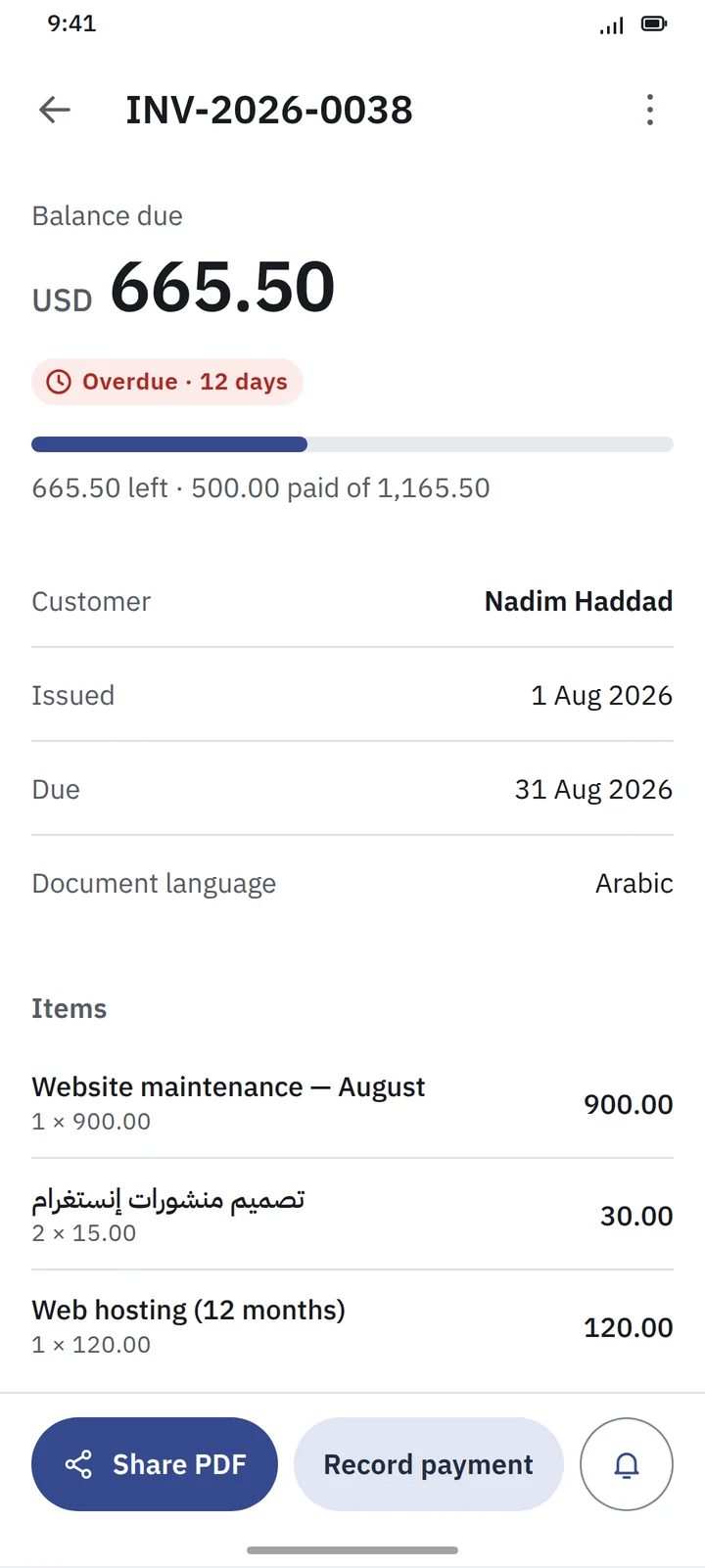
An invoice overdue by 12 days and partly paid, showing the balance due, how much has been paid, the customer, issue and due dates, document language set to Arabic, and the line items.
What was paid, what is left, and how late it is.
Overdue money

Know who owes you,
before you forget

The money that slips away is rarely the big invoice. It is the small one nobody followed up on. 3S Invoice keeps it in front of you.

Overdue at a glance Filter to overdue invoices and see the total left to collect.
How late, not just late Every overdue invoice shows how many days it has been waiting.
Remind from the list Send a reminder through WhatsApp, SMS, email or any app on your phone. No special integration needed.
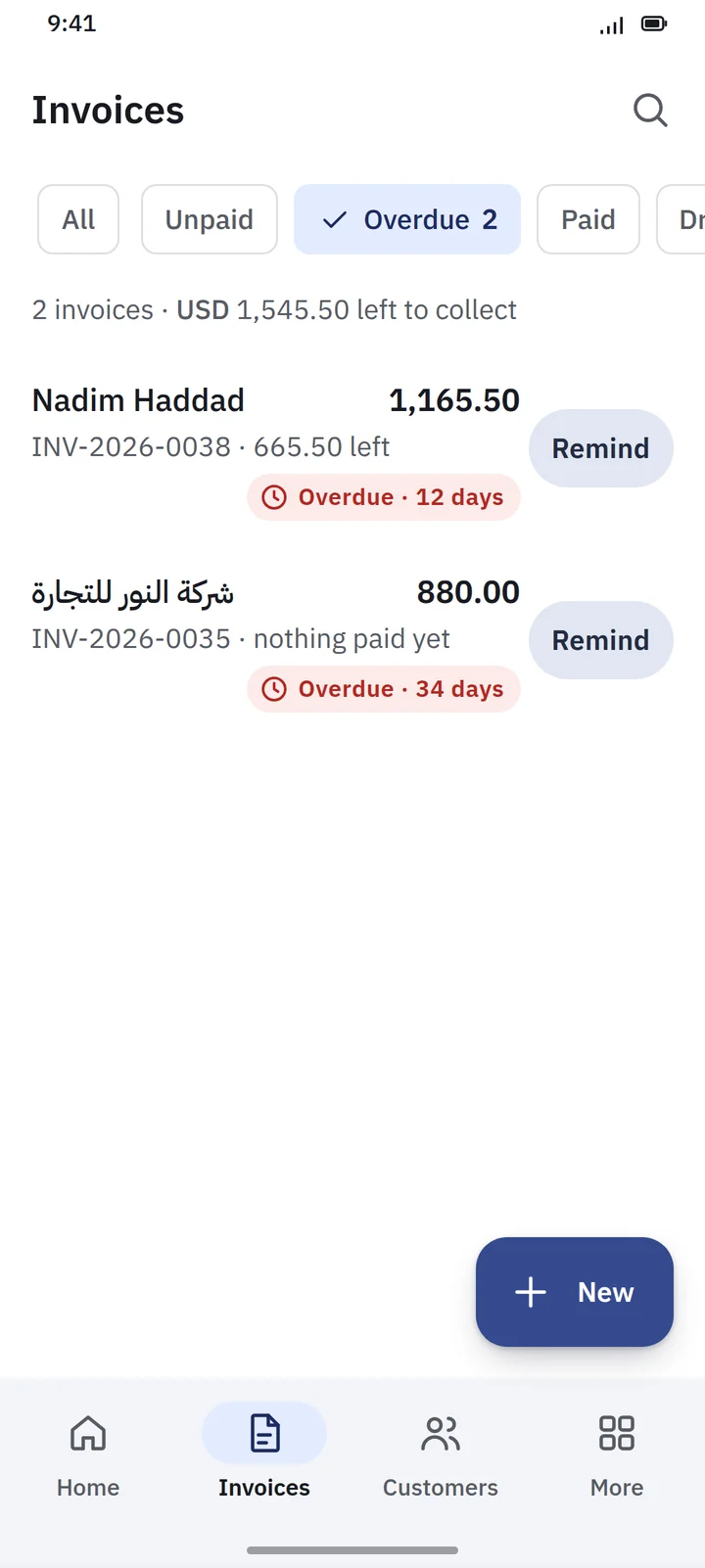
The Invoices list filtered to Overdue: two invoices with 1,545.50 USD left to collect, one 12 days overdue and one 34 days overdue, each with a Remind button.
Two invoices, 1,545.50 left to collect, one reminder away.
3S Invoice Pro · $75 once

More than invoicing,
when you need more

Pro adds quotations, expenses, projects and the reports that tell you whether the business is actually making money.

Quotation Invoice Payment
Pro
Quotations
Draft, sent, accepted, rejected or expired. An accepted quotation becomes an invoice without retyping a single line.
Pro
Expenses
Transport, hosting, contractors, utilities, marketing, salaries — or categories of your own. Link any expense to a project.
Pro
Projects
Quotations, invoices, payments and expenses grouped by project, with profit and margin for each one.
Pro
Profit & loss
Know what you earned, what you spent and what remains — for any period, on invoiced or on collected revenue.
Pro
Customer statements
Every invoice and payment with a running balance. View it, print it, or share it as a PDF.
Pro
Sales & expense reports
Invoiced, paid, outstanding and overdue — by date, customer or project. Spending by period, category or project.
Pro
Project reports
Quoted, invoiced, collected, outstanding, expenses, profit and margin for a single project.
Pro
Receivables aging
Overdue balances grouped into current, 1–30, 31–60, 61–90 and 90+ days — and the customers and invoices behind each total.
Pro
Thermal receipt printing
Print receipts on common 58 mm and 80 mm thermal printers — at the counter, on a delivery, or on site.
Project profitability · Pro

Did that project
actually make
money?

Connect invoices and expenses to a project and see how much was quoted, invoiced, collected, spent and earned.

Profit and cash are not the same thing, and 3S Invoice does not pretend they are. A project can be profitable while half its money is still in your customer’s pocket — you see both.

Project Website Development
Invoiced
8,000
Collected
6,000
Outstanding
2,000
Expenses
2,500
Profit
5,500
Margin
69%
Example figures in USD. Profit is invoiced minus expenses; collected cash is shown separately.
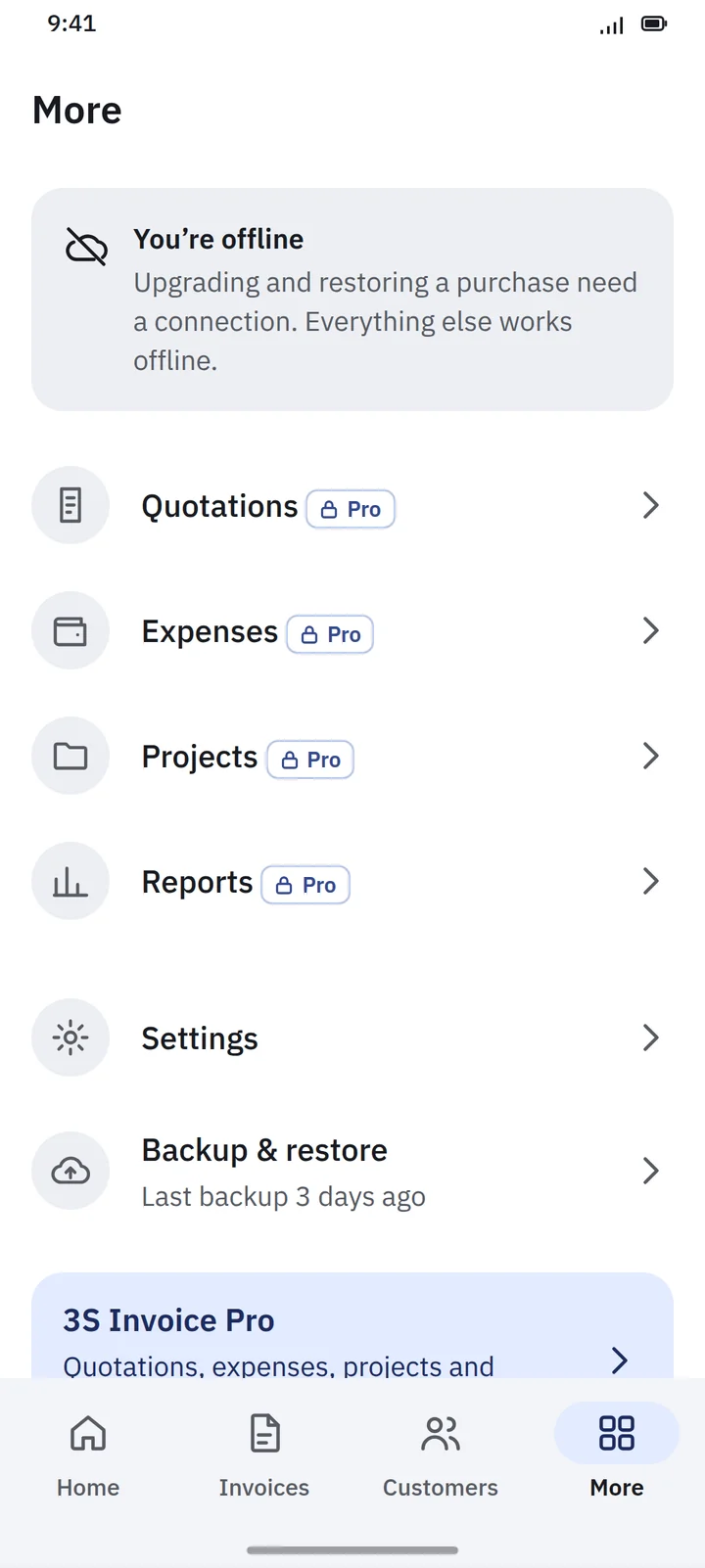
The More screen while offline: a banner saying upgrading and restoring a purchase need a connection and everything else works offline, followed by Quotations, Expenses, Projects and Reports marked Pro, Settings, and Backup & restore.
Offline on the free version. Backups are saved locally.
Offline-first

Works even when
the Internet doesn’t

Your business shouldn’t stop because your connection did. No permanent Internet connection is required for everyday use.

  • Create invoices and quotations
  • Record payments and expenses
  • Manage customers and projects
  • View reports
  • Generate PDFs
Your day-to-day business data stays on your device Customers and invoices are stored on your phone, not uploaded to someone else’s server.
Local backup & restore Create a backup of your business data and restore it when you need to.
Languages & currencies

Made for
multilingual business

English العربية Français
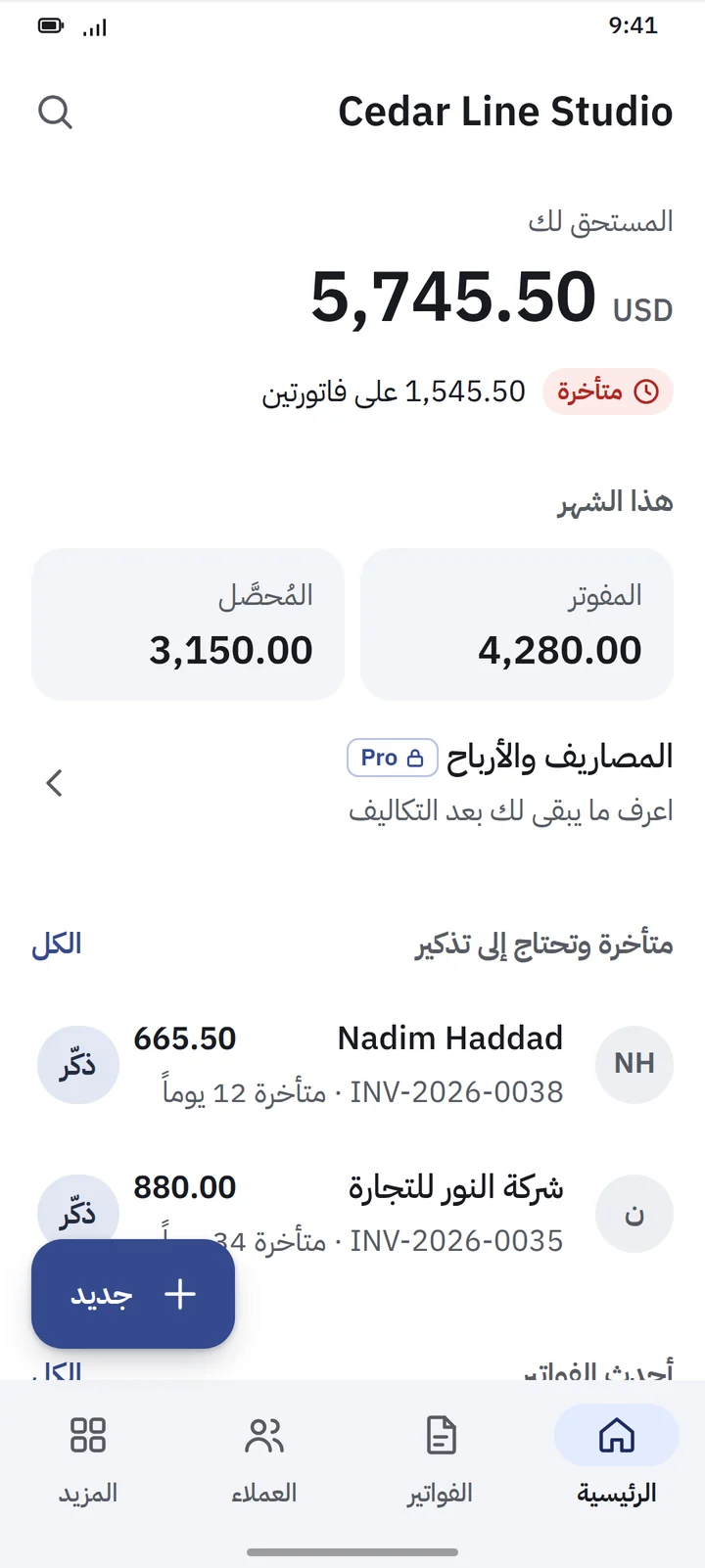
Arabic, fully right-to-left The whole layout mirrors, not just the text. Amounts and invoice numbers stay easy to read.
Your language, your customer’s language Run the app in English and issue an invoice in Arabic. The app language and the document language are set separately.
Your currency Pick a primary currency; each document keeps its own. Formatting follows each currency’s decimals.
Your tax, your label VAT, GST, Sales Tax, or no tax at all. Rates and labels are configurable — not tied to one country.
The home screen in Arabic, fully mirrored right to left: the amount owed, the overdue total, this month's tiles and the overdue customers list, with amounts kept in Latin digits.
العربية
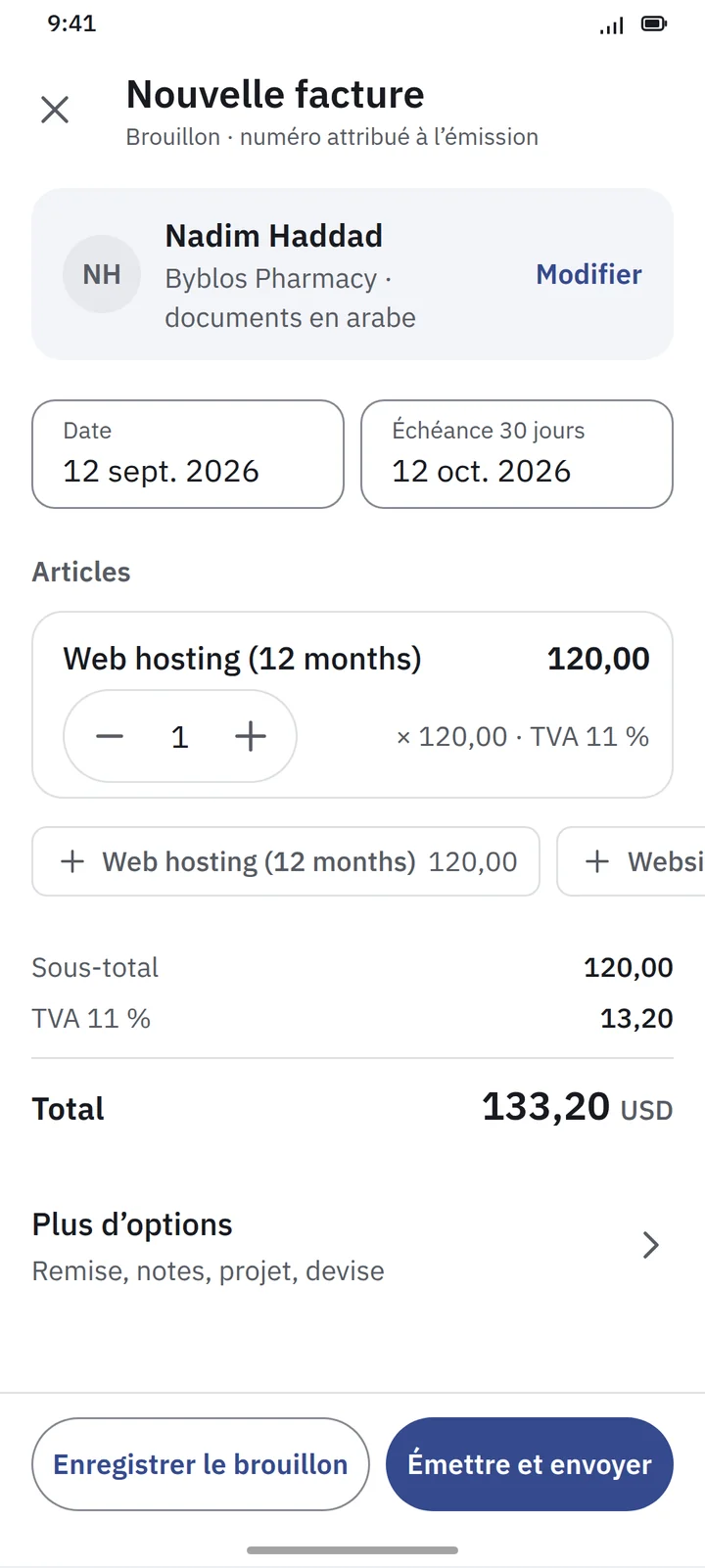
The New invoice screen in French, Nouvelle facture, with the same customer, dates, line item and totals, and the action buttons stacked to fit the longer labels.
Français
Pricing

Start free.
Pay once for Pro.

No monthly subscription. The free version does the invoicing; Pro adds the business tools.

3S Invoice Free
$0 not a trial

The complete invoicing workflow, with no limit on customers or invoices.

  • Unlimited customers
  • Unlimited invoices
  • Full & partial payments
  • Due dates & overdue tracking
  • Reminders via WhatsApp, SMS or email
  • PDF invoices & A4 printing
  • Basic dashboard
  • Local backup & restore
Get notified at launch

$75 one-time purchase for 3S Invoice Pro. No monthly subscription required for the core Pro application. Prices in USD.

FAQ

Straight answers

Is 3S Invoice free?

Yes. The free version has unlimited customers and unlimited invoices, along with payments, reminders, PDFs and A4 printing. It is not a trial and it does not expire.

How much is Pro?

3S Invoice Pro is a $75 one-time purchase.

Is there a monthly subscription?

No. No monthly subscription is required for the core 3S Invoice Pro application.

When is it available?

3S Invoice is in development for Android and iPhone. Get in touch and we will let you know when it reaches the stores.

Does it work offline?

Yes. Everyday invoicing and business management are designed to work without an Internet connection.

Where is my data stored?

On your phone. 3S Invoice is offline-first and keeps its business data locally on the device. Backup and restore work with a local backup you create.

Can I send invoices through WhatsApp?

Yes. Generate the invoice PDF and share it through WhatsApp or any other app on your phone.

Does it support Arabic?

Yes. Arabic is fully supported with right-to-left layouts, alongside English and French. The app language and the language of your invoices can be different.

Does it handle my tax?

Tax is configurable: call it VAT, GST, Sales Tax or simply Tax, set your rate, or work without tax. 3S Invoice does not claim statutory compliance for every country, so check what your local rules require.

Can I print on a thermal receipt printer?

Yes, with Pro. 3S Invoice prints to common 58 mm and 80 mm thermal receipt printers. Every version, including Free, prints A4 through your phone’s normal print function.

Can I create quotations?

Yes, in Pro. An accepted quotation converts directly into an invoice.

Can I track expenses and project profit?

Yes, in Pro. Expenses have categories and can be linked to projects, and each project shows its invoices, collections, outstanding balance, expenses and profit.

Is it accounting software?

No. 3S Invoice is a simple invoicing and business-management tool. It does not try to replace full accounting software or a professional accountant.

Launching soon

WANT TO KNOW
WHEN IT
LAUNCHES?

3S Invoice is coming to Android and iPhone. Drop us a line and we'll tell you when it's in the stores. No spam, just the launch.

Get notified at launch →